My Thank You Page in my website

Hi guys! Now I will share to you how easy is to create a “Thank You” page in your website. Yes, using wordpress!
The first step is to go to your wordpress dashboard and click “Pages” and click “Add New.”

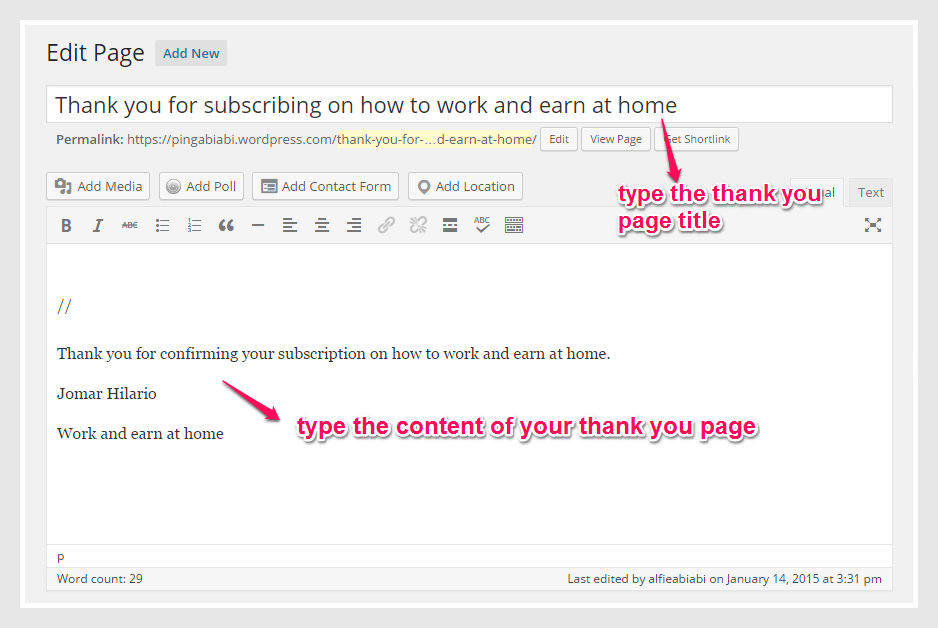
The next thing is to type the thank you page title and its content like this one I created below.


thank you page1-pic

After creating the “Thank You” page, publish it.

Do you remember what I told you in my previous post that the Facebook Ads pixel will be pasted in the thank you page? Well, after publishing it and creating the Facebook Ads from Power Editor, go to TEXT and paste the FB pixel code just above the content of the thank you page. See below.


thank you page2-pic

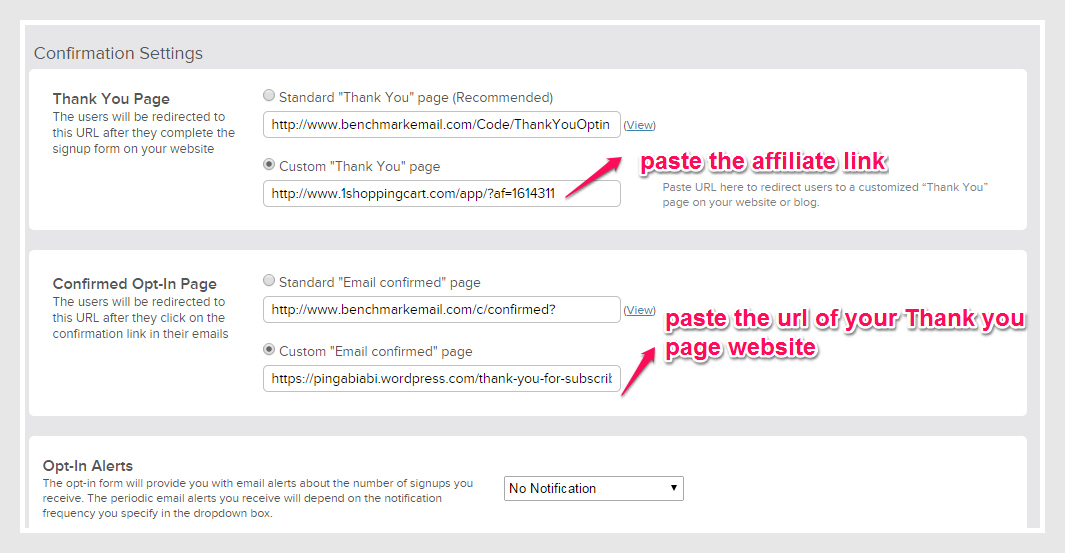
After pasting the FB code pixel, publish it to make it permanent. The essence of placing the Facebook Code Pixel is to track how many click the subscription link they received from their emails. Meaning, the number of people who entered their email addresses and confirmed the subscription by clicking the link. The number of conversion through registration is seen in the Facebook also, which later on I will share to my post.

Below is my Thank you page that I created.


hfamily signup6-pic

See I told you, it is very easy to create “Thank You” page in your website. You will also feel confident to see your output! Keep practicing so that later it will be very easy for you to create “Thank You” page.

Signup Form Page in your website

Creating Signup Form page in your website is easy as one, two three! If you are using wordpress site, that is much appreciated because I am using it also.

So let’s start the ball rolling!

Go to your wordpress dashboard and click “Pages” and click  “Add New” to create your Signup Form page.


sign up page1-pic

Type the title of your signup form page like this one:


sign up page2-pic

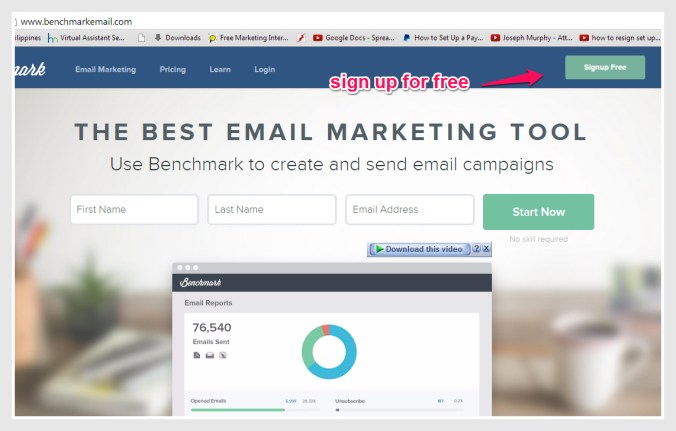
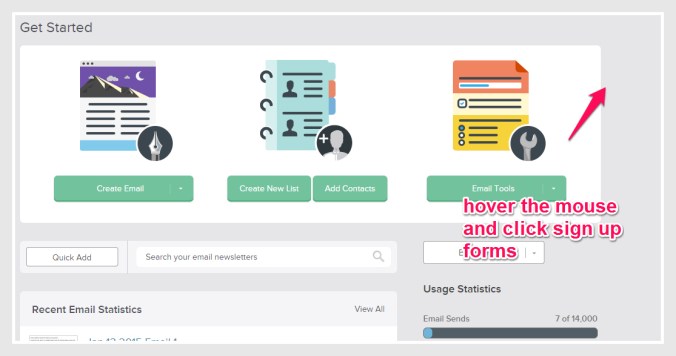
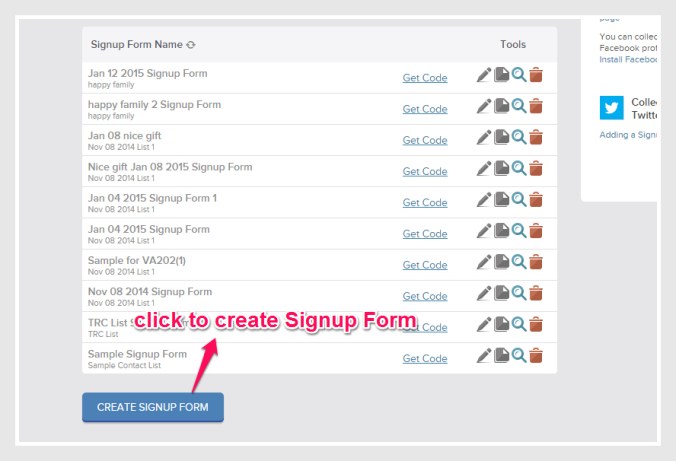
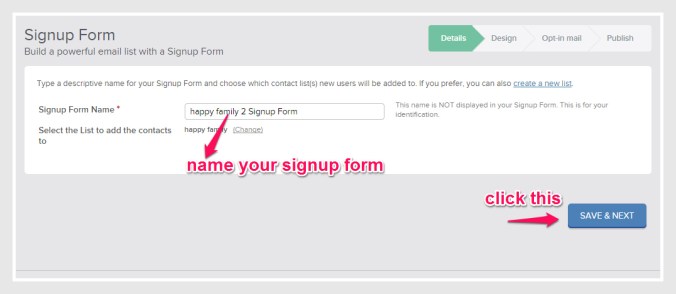
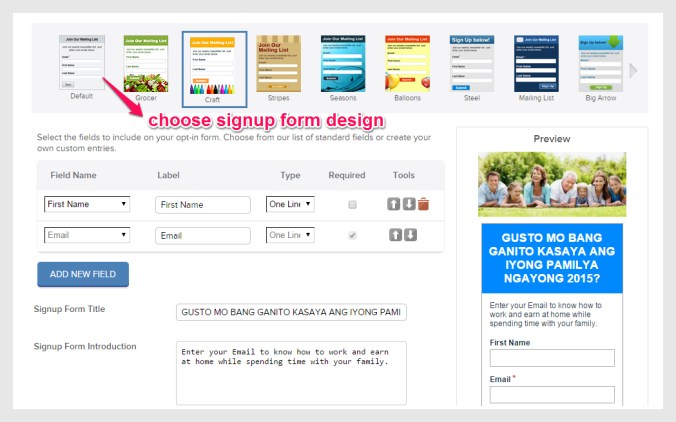
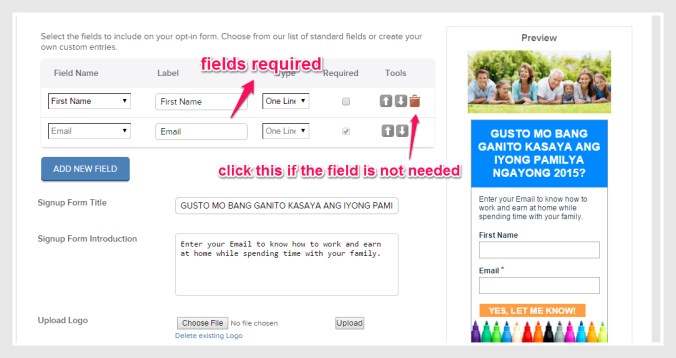
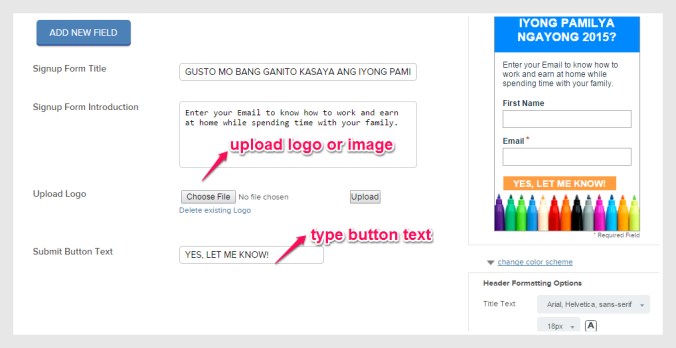
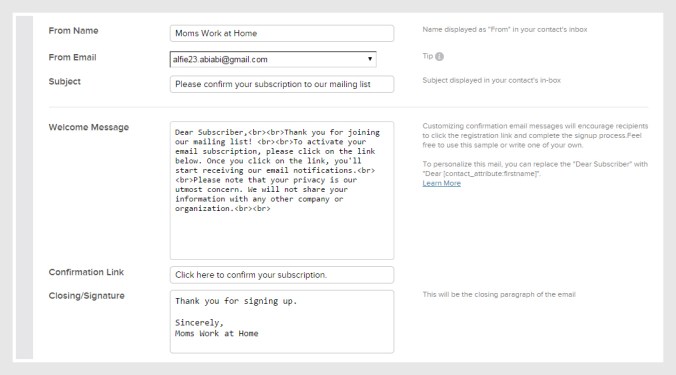
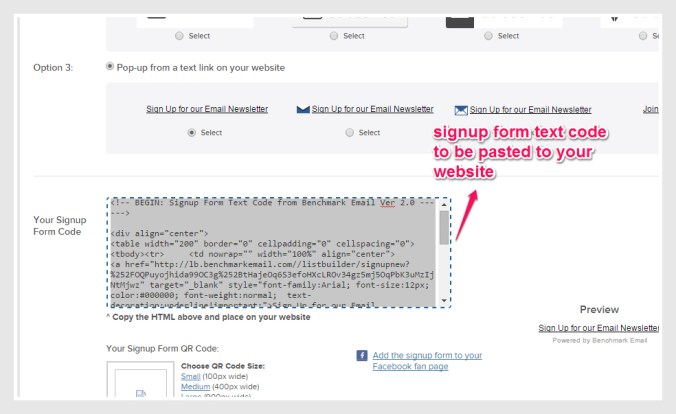
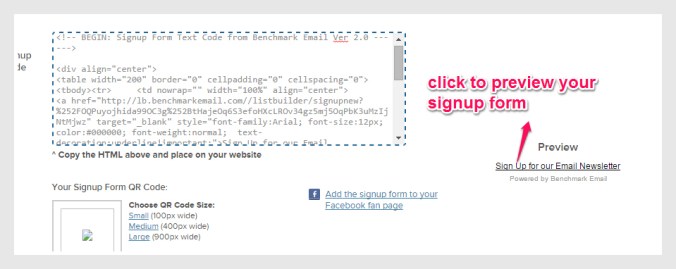
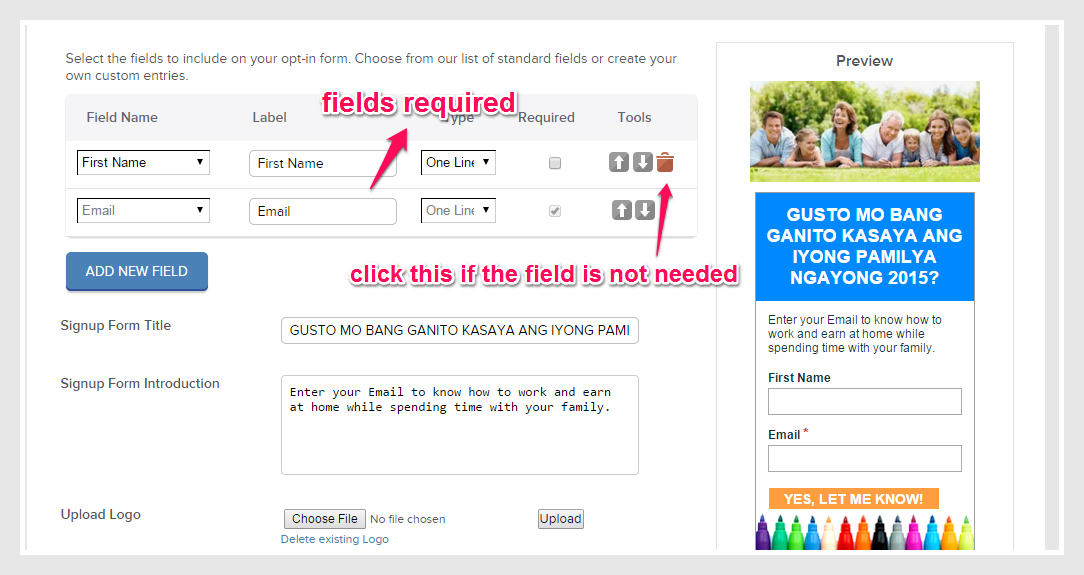
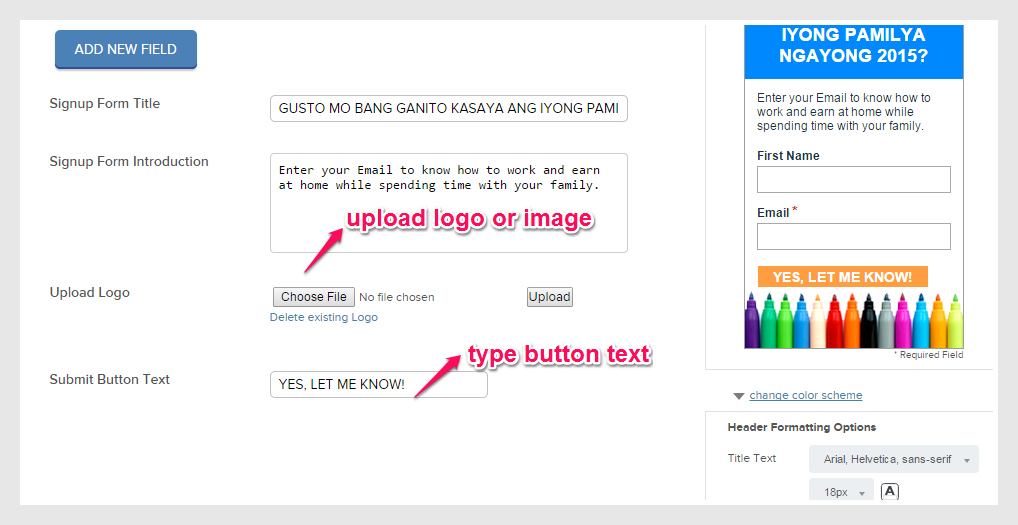
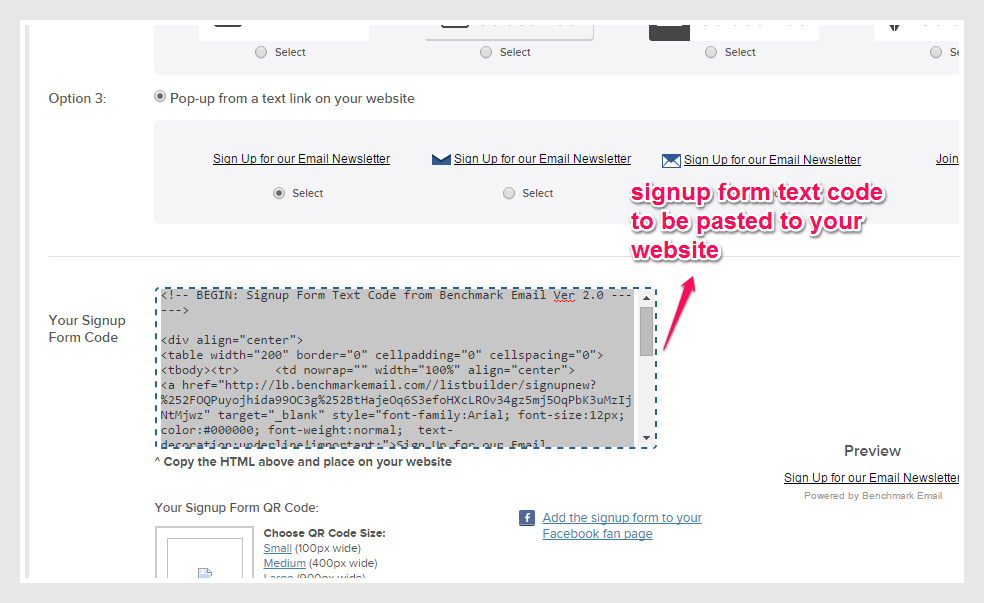
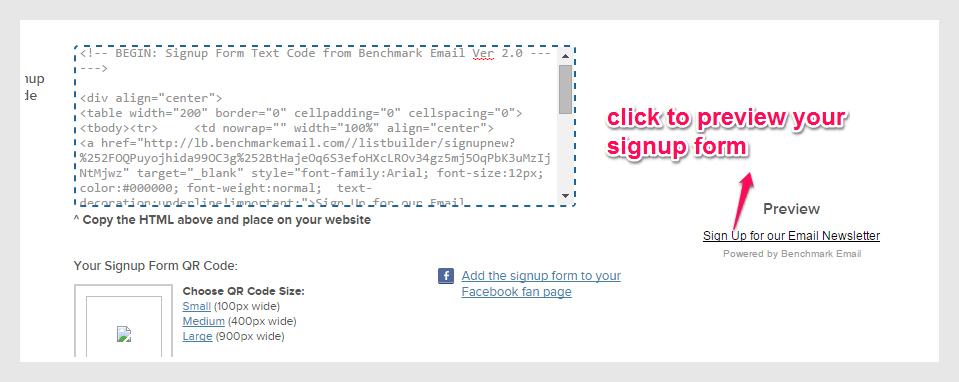
From the benchmarkemail, copy and paste the signup form text code and paste it in your signup form page of your website, under TEXT.


signup page 3-pic

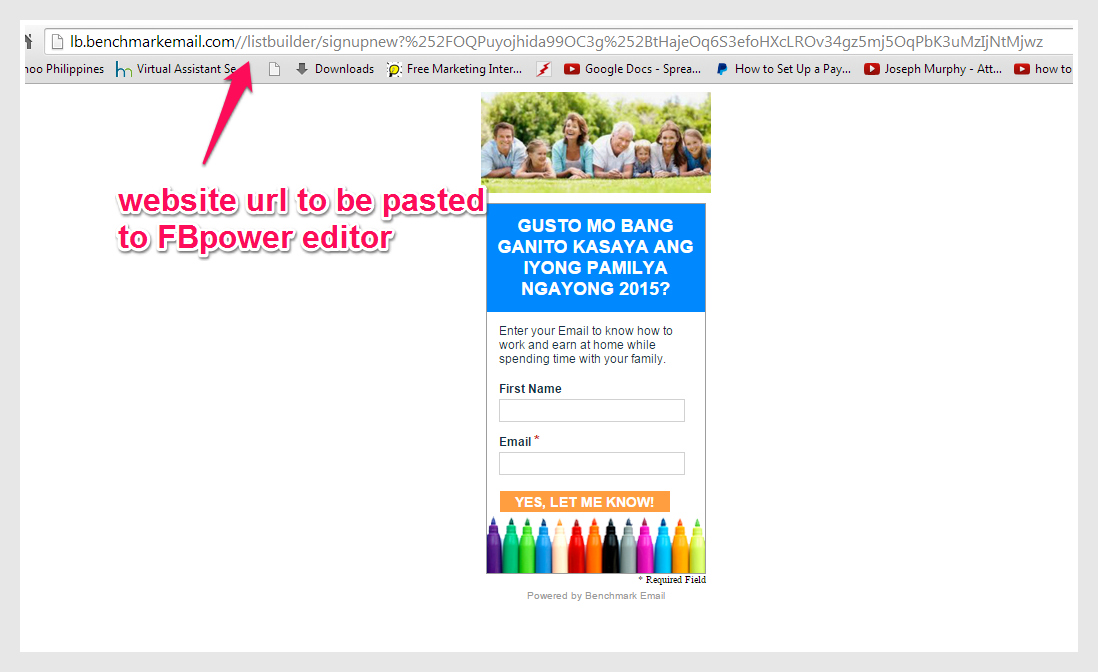
After pasting the text code, click Publish. After publishing, you will see your signup form page like this one that I made.


sign form page 4-pic

See, it is easy right? yeah! So pat your back for the job well done!

My Next Facebook Poster – Happy Family

Today, I will share to you my next Facebook poster for ads. Well, first I have to show what is the promise of Jomar Hilario’s product which is to “learn how to work and earn at home.”  I have the promise and that is “Gusto mo bang ganito kasaya ang iyong pamilya ngayong 2015?” meaning, “Do you want your family to be happy this 2015?”

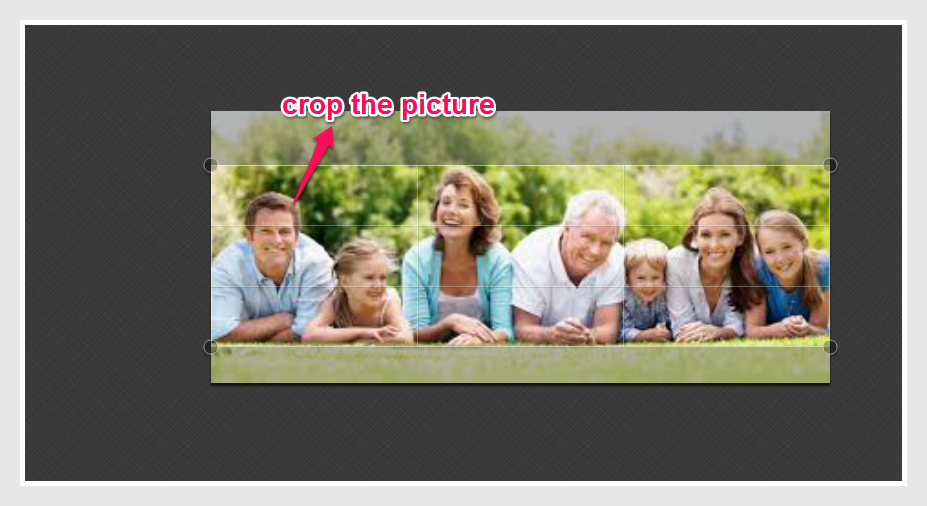
After the promise, I have to think of image or picture to support that promise. Here are the images I chose to represent the promise:


happy family-edit pic


picnic-edit pic

I decided to use the first picture of this promise. So I have the promise and an image. And I am ready now to edit and create a poster ready for Facebook Ads.

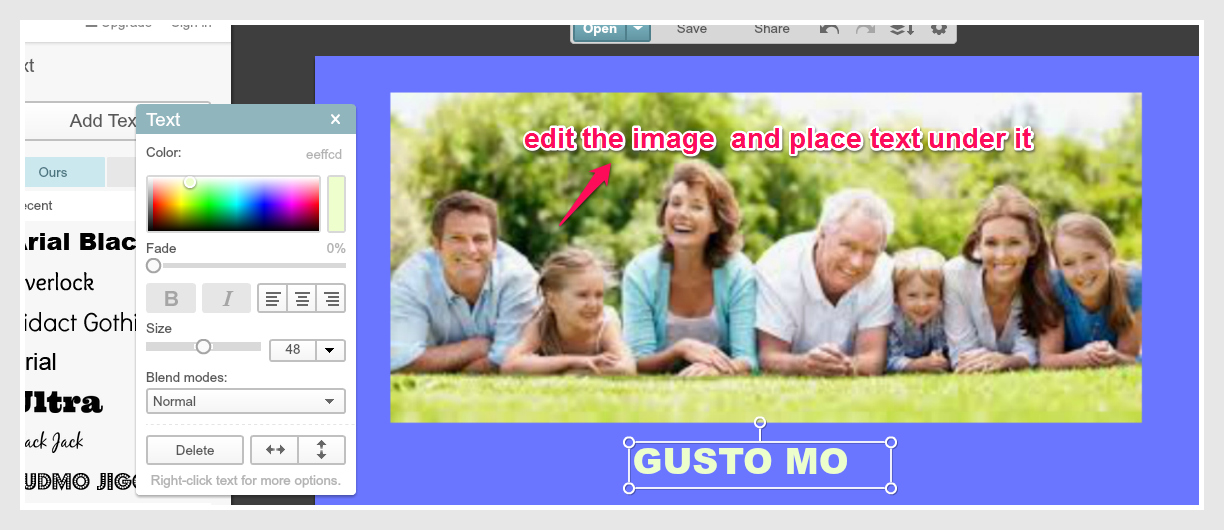
Using the picmonkey site, here is my output.


happy family image edit2-pic


happy family image edit1-pic

After editing and placing the text for the poster, here is my output for Facebook Ads.


happy family-FB ads-pic

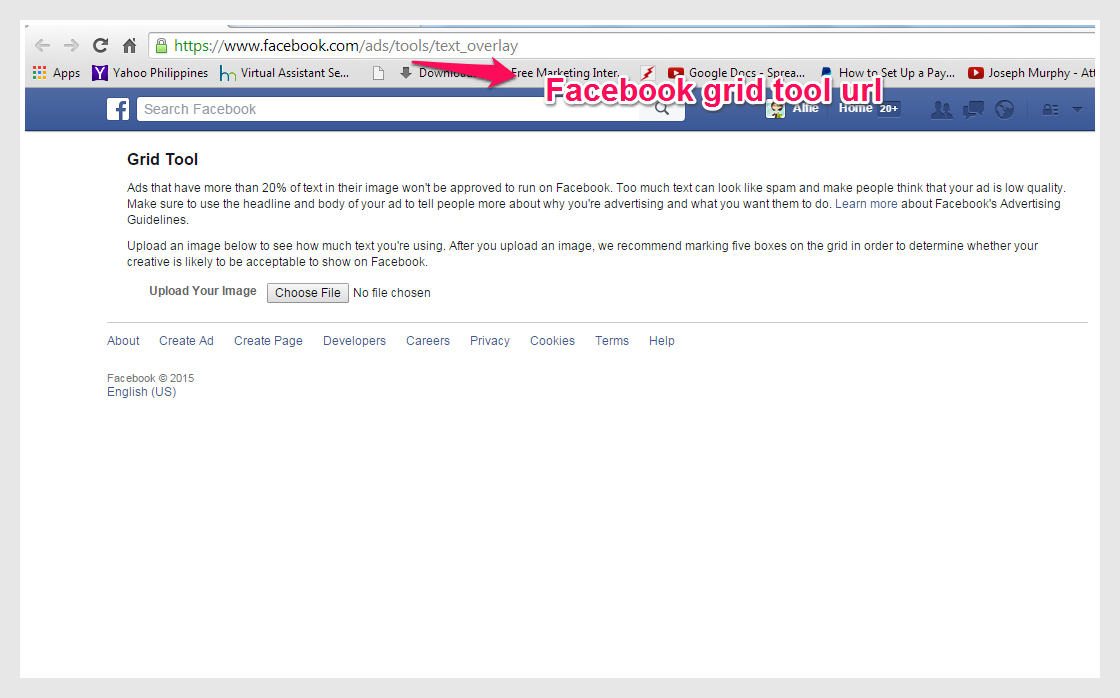
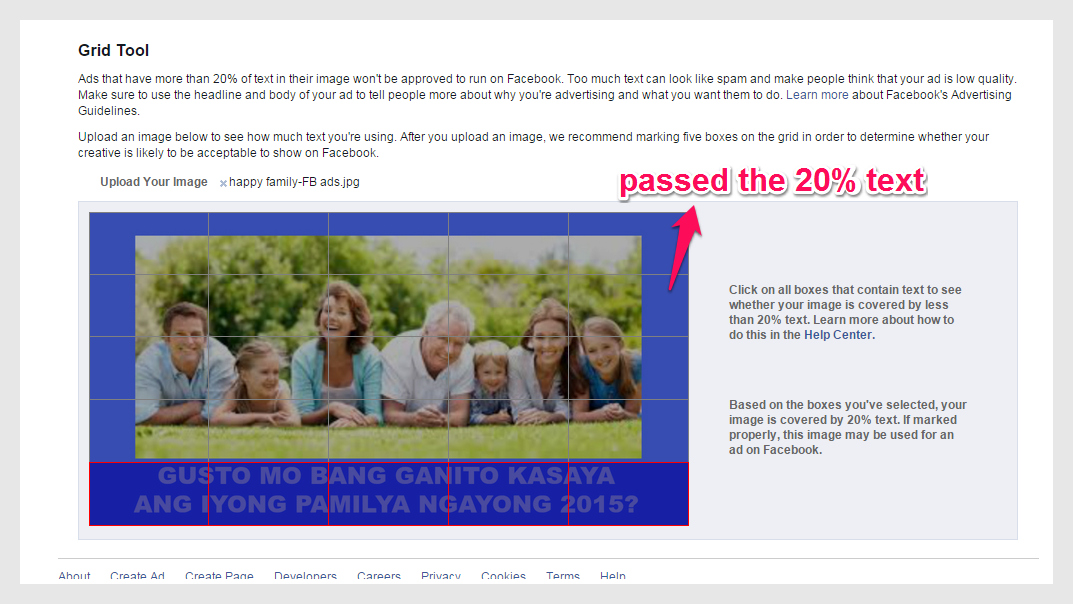
After the Promise and the Image, I tested this poster for 20% Text test in Facebook using this site https://www.facebook.com/ads/tools/text_overlay

Here is my output:


happy family grid text-pic

Yeheyy! Good job! My poster passed the 20% text! Ha ha ha! Now I am ready to place it in Facebook Power Editor.


Components of Facebook Ads

In my previous post, I showed my experimental Facebook Ads. That was just a practice to master doing Facebook Ads. As a reminder, repetition is the key to mastery.

Below are the components of Facebook Ads to guide and understand the essence of presenting it to your potential clients and prospects.


pitch5-pic

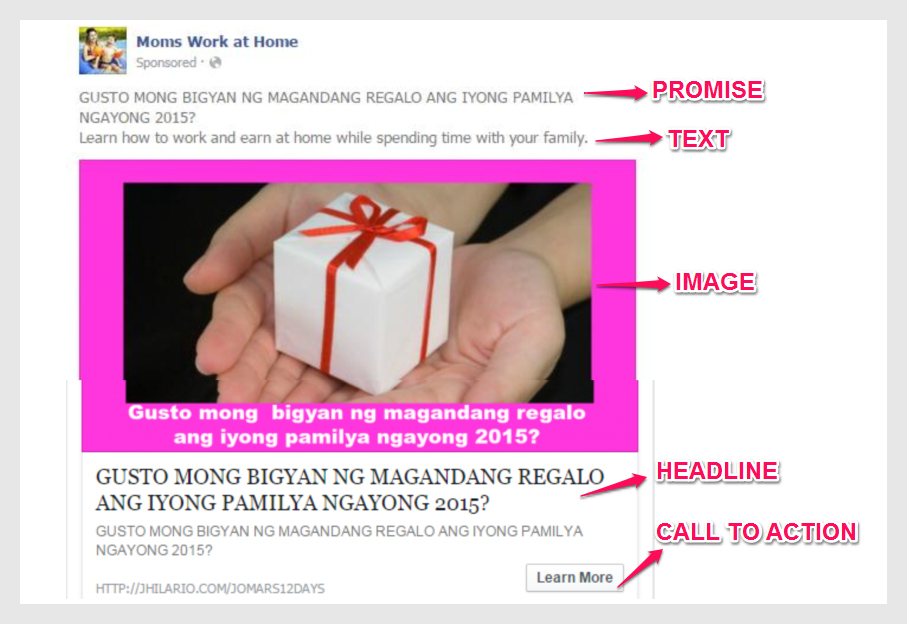
You will see Promise, Image, Text, Call to Action and Headline from the image above. These are the components of Facebook Ads or in technical term in Facebook Power Editor, it is CREATIVE. The shortcut on this is PITCH for you to remember easily.

The Promise is seen anywhere in the ads. Have you noticed it? Promise is the most important element of the Ads because it captures the attention of the reader. The Image supports the promise. The Text also supports the promise. The Call to Action is the verb or the button to click in the ads. The Headline is the one that you can see that is in bigger font below the image, still telling the promise.

Easy to remember, PITCH stands for Promise, Image, Text, Call to Action and Headline.

I will show you more on the next posts for details in creating PITCH for Facebook Ads under the CREATIVE section of the Facebook Power Editor.


My Experimental Facebook Ads

Hi everybody! This time I would like to share to you my experimental Facebook Ads I made in in Facebook Power Editor. Our mentor, Jomar Hilario told us to make at least 50 Facebook Posts in Power Editor!!! Wow the number is much too high! But it is a good practice, why? Because I will be able to master making Facebook Ads as if even in a blink of an eye! Do you believe in a saying that  repetition is the key for mastery? Of course! If you do not get it the first time, try again and again and again until you get used to it and master it. Then you will feel confident and you will even feel to volunteer to teach because you mastered it already.

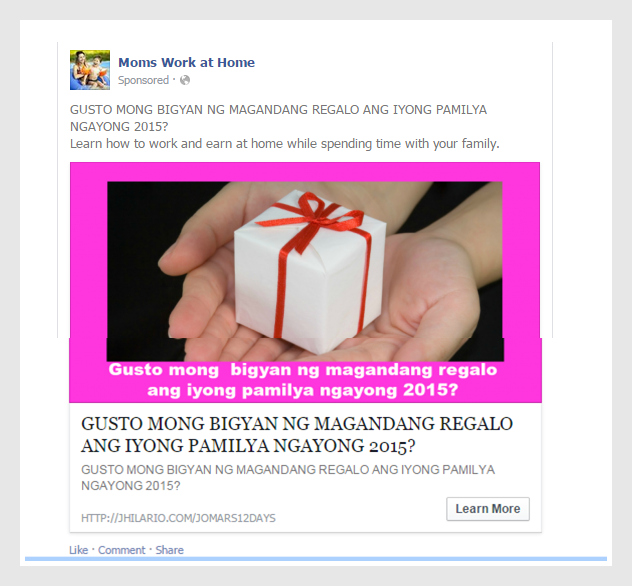
Now for my experiment, I will share to you my Facebook Ads. Below is my first Facebook Ads I created.


fb ads 1-pic

This one was not approved by Facebook! Waahh! There was a problem on pixels. Pixels are codes from Facebook to be pasted to Thank you page in your website. But I was not discouraged. I tried again, like I made a different picture but still with the same text or promise.
 

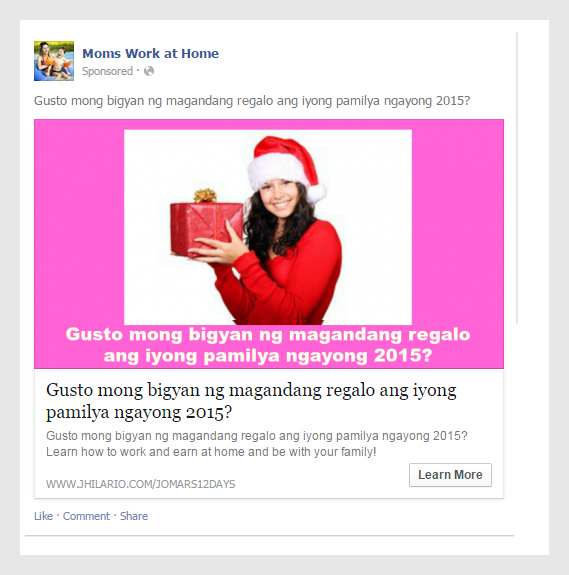
fb ads 2-pic

And you know what? This Facebook Ads was approved by Facebook Power Editor! Good job! See if you just try it again, you will get it! Truly, patience is a virtue. I was so happy when I made it perfect! I even slept late just  to finish this not counting the next day for office work. I told myself I have to make it right this time and it was! Good job!

How I made my First Poster for Facebook Ads

Hi everyone! Here I am again sharing to you about my learning as an aspirant and soon-to-be Facebook Ads Specialist!

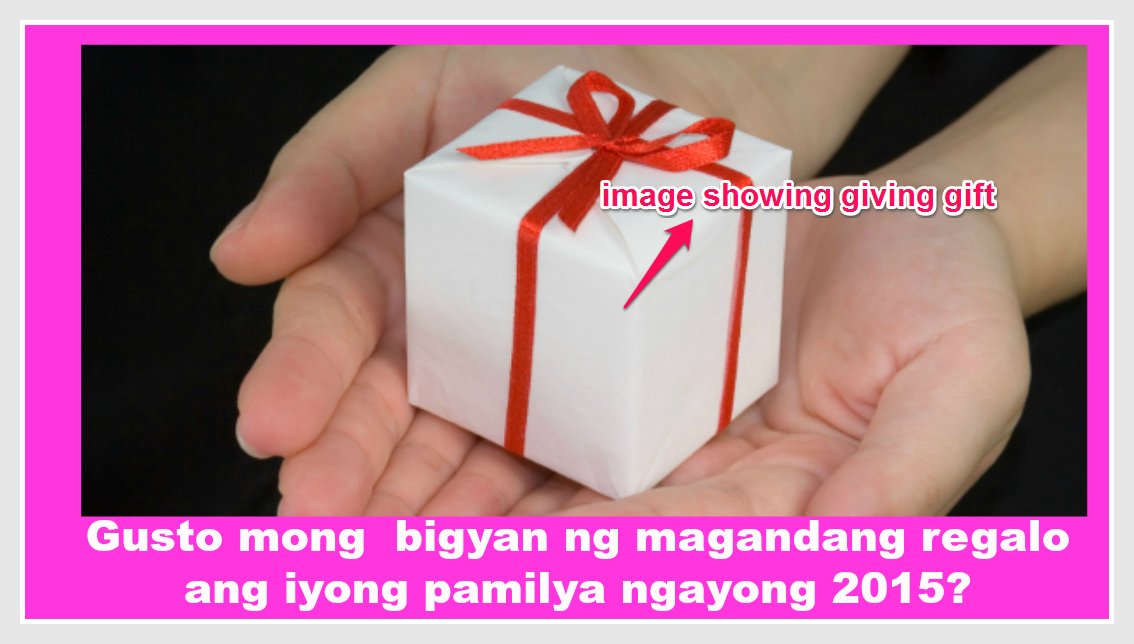
Today, this is something I have to share first before anything else. That is how I made my first poster for Facebook Ads. Before that I have to know what I want to promote and that is…tarannnn! Jomar Hilario’s products of course. They are all about how to work and earn good income while at home and be with your family. Is it fantastic! You work at home and earn good income while being with your family! Wow! So beautiful! So the first question is how can I market Jomar Hilario’s products online. There must be a good promise! Yes, that is the first! I have shown to you my examples of emotional promises from my previous post, which I got from Jomar Hilario, my mentor. The secret and the most captivating part of it is the Emotional Promise. Repeat!!! Emotional Promise. Why? because generally people buy based on emotions but not mainly on logic. So, if I have to market the “work and earn at home while being with your family” products, I have to think of an emotional promise. Like I said, I have shared already my examples of emotional promises, which targeted OFWs, employees who want to earn good while at home, unemployed, single parents, people who want to shift their career and do what they love with freedom. So the first one I made was “Gusto mong bigyan ng magandang regalo ang iyong pamilya ngayong 2015?” This means, ” Do you want to give a beautiful gift to your family this 2015?” So I kind of thinking gifts! gifts! gifts! well if you want to give, the best is a gift. So I downloaded images with a gift background.


nice gift exp 1-pic

Did you see this? Yes, a gift being given. If someone gives you a gift, you will be happy, right? So I am almost done! I have a promise and an image. The next thing I will do is to put this into one, a picture with a text telling the promise. Like this one.


nice gift for FB ads-pic

Did you see this? well I made this with the help of www.picmonkey.com. This is the best site to edit your poster to look good! So next thing to do is to go to picmonkey.com website.


picmonk 1-pic

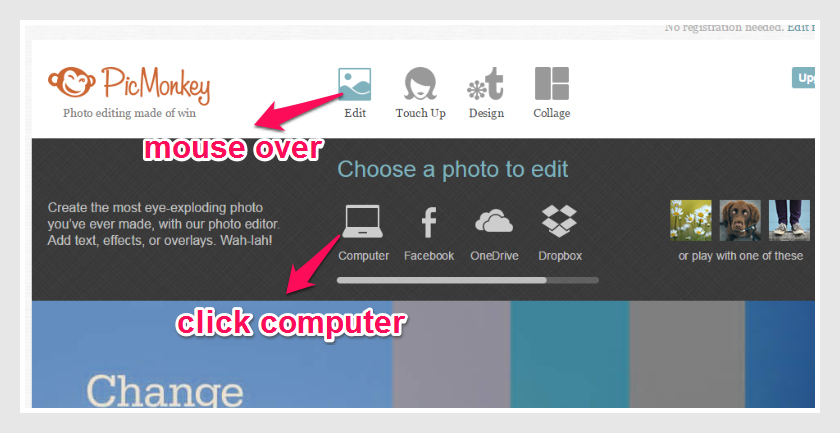
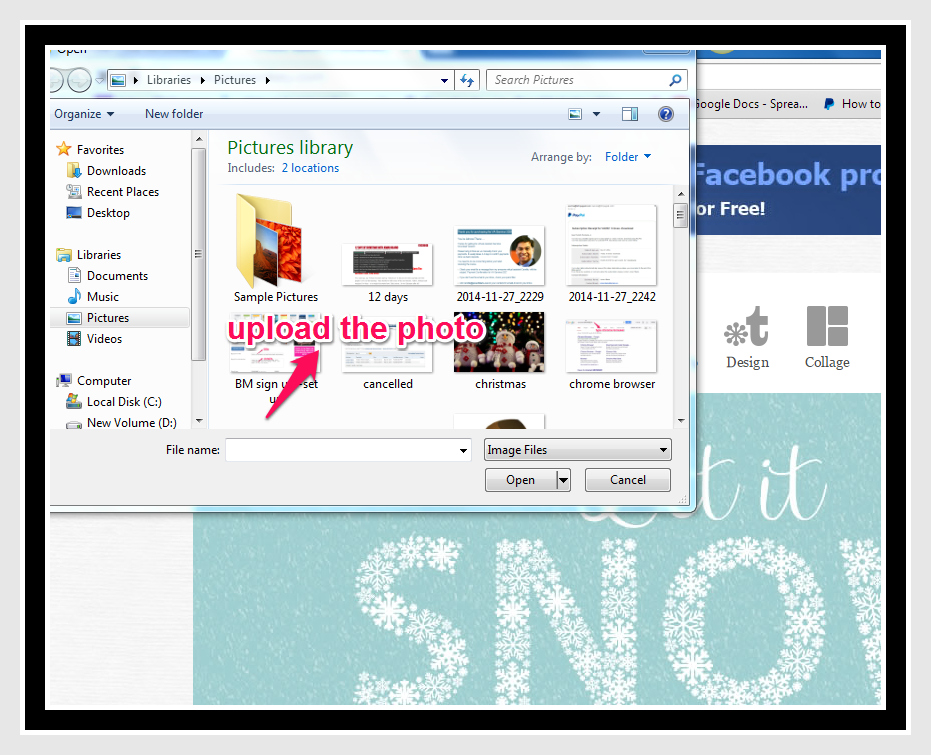
Then mouse over “Edit” and click “Computer” to upload the image saved from the computer.


picmonk2-pic

Upload the image you want to be edited in picmonkey.


nice gift pic-pic

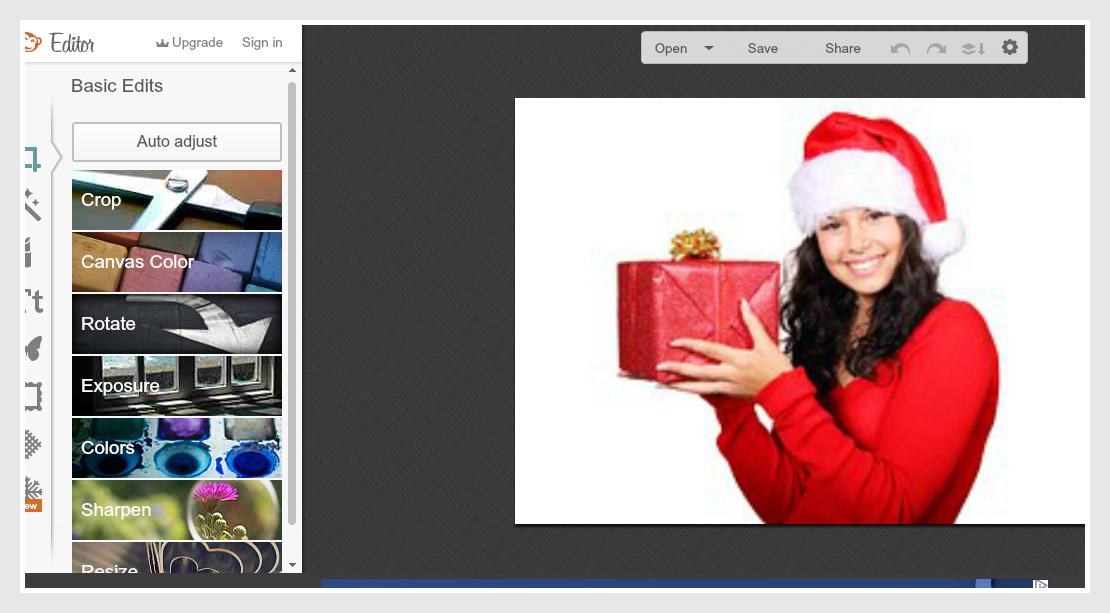
Here is the next view after uploading the picture for edit.


nice gift pic2-pic

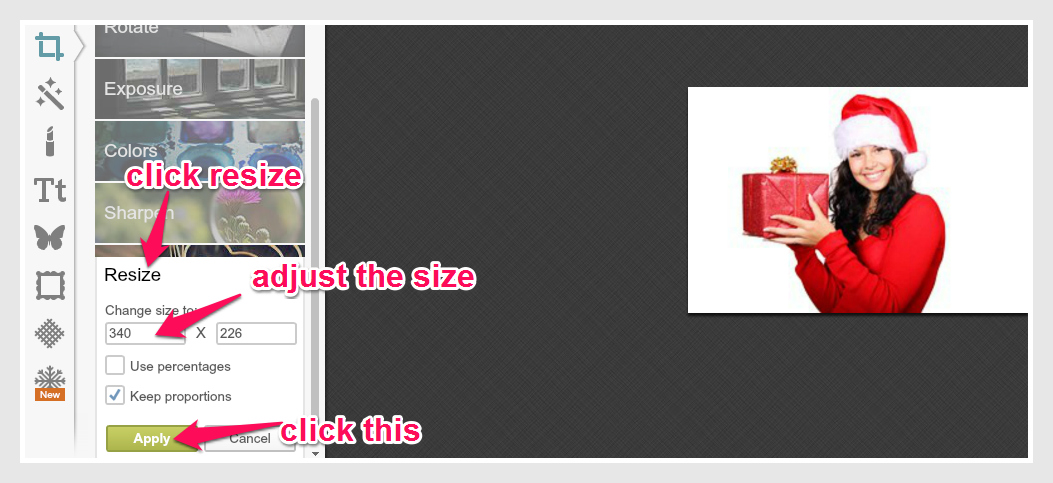
To start editing, click “Resize” to adjust the picture , then click “Apply” after editing it.


nice gift pic 3-pic

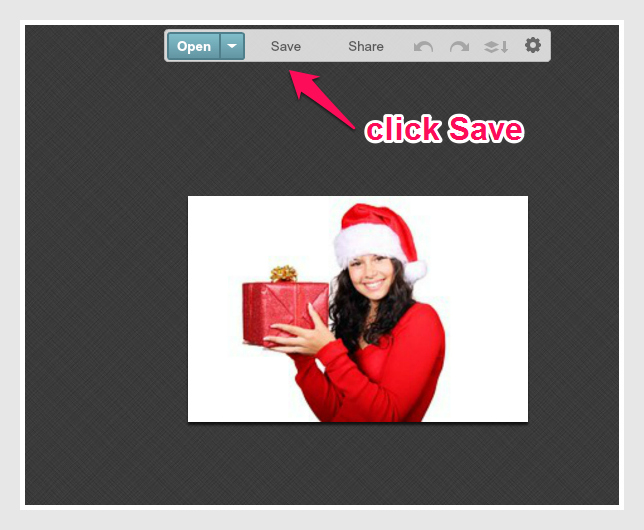
Then “Save” the picture.


nice gift pic4-pic

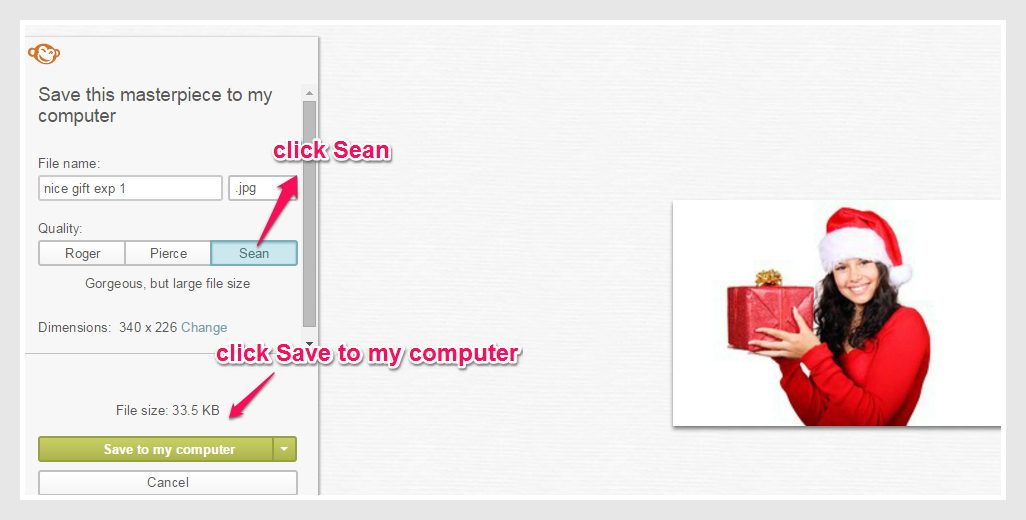
Then click “Sean” to appear clear image and click “Save to my computer.”


nice gift pic5-pic

You will be directed to the first page of picmonkey after saving the picture. To edit and place text on the picture, click “Design” and choose “Custom.”
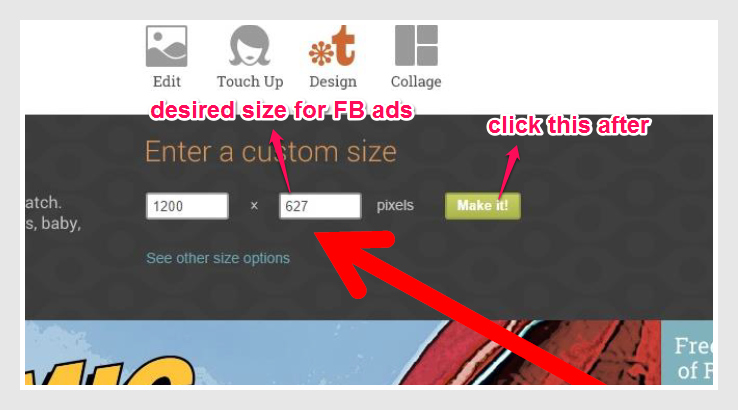
 

nice gift pic7-pic

Type 1200 x 627 as desired measurement for Facebook Ads and click “Make it.”


nice gift pic8-pic

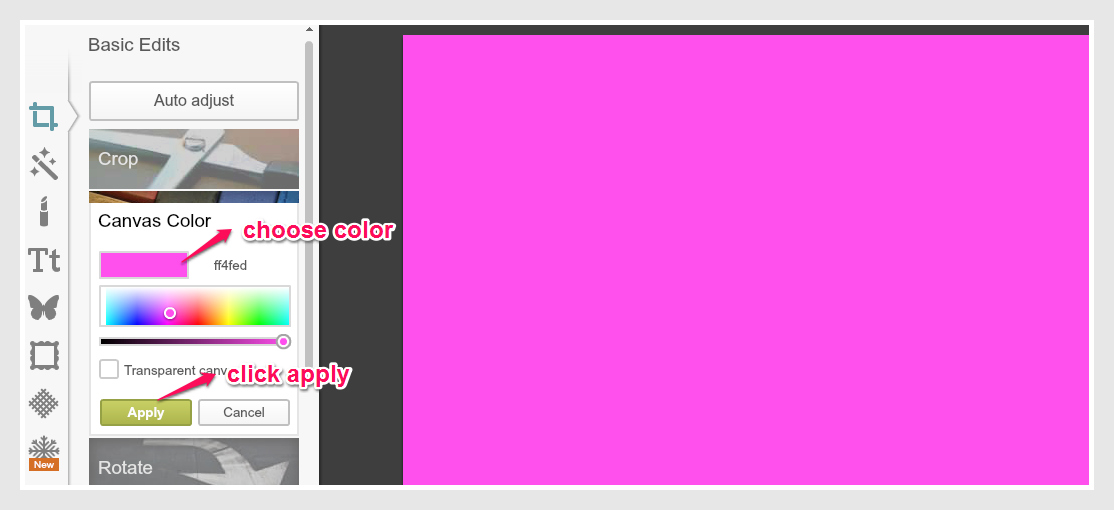
Then choose the canvas color and click “Apply.”


nice gift pic9-pic

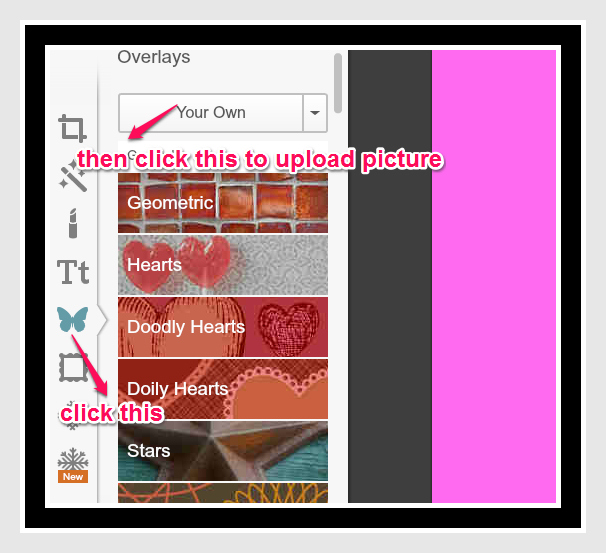
Then click the “Butterfly Icon” and click “Your Own” to download the picture for your canvas.


nice gift pic10-pic

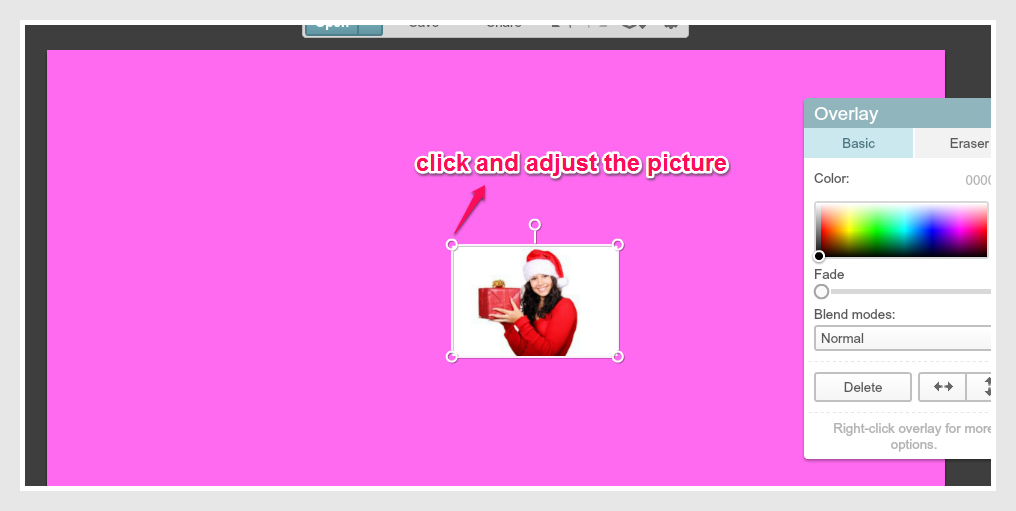
Here you can adjust the picture and leave a space below on it to insert the Text.


nice gift pic11-pic


nice gift pic12

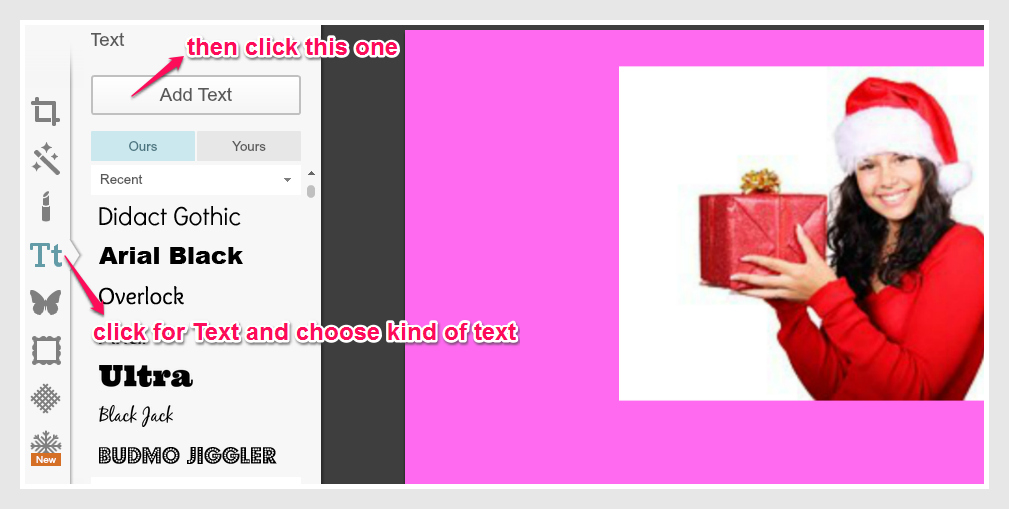
Then click the Text portion and choose the desired font style of your text.


nice gift 13-pic


nice gift 15-pic


nice gift 16-pic

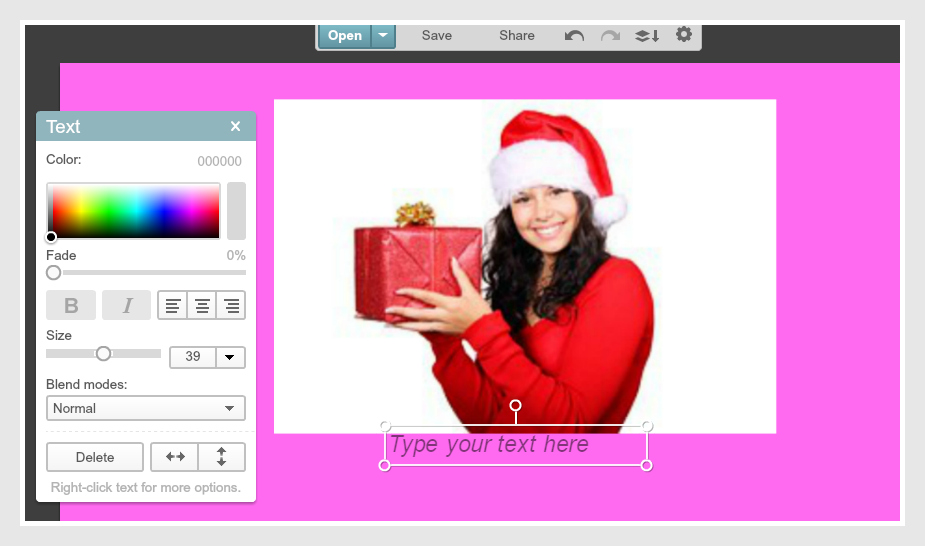
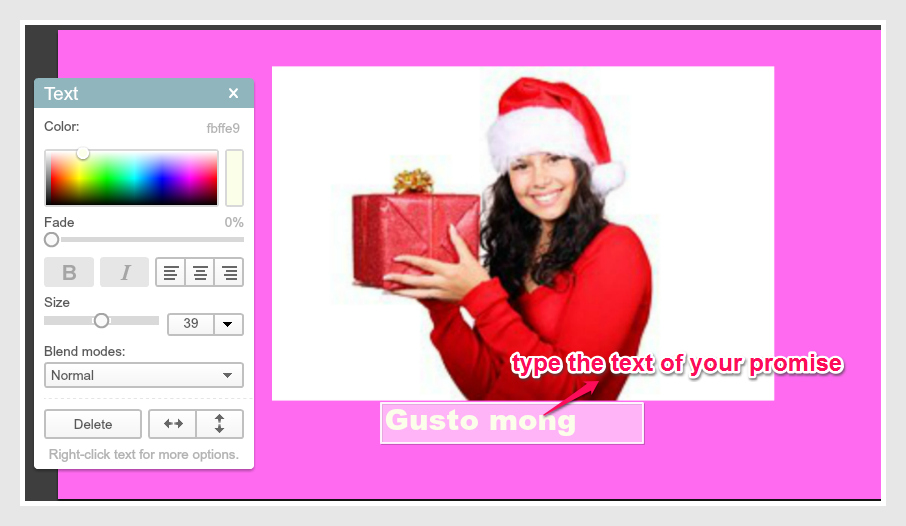
Type the whole text showing the Promise to support the image. Make it center, below the picture and estimate a 20% Grid Text for Facebook ads. Below you can find my output for Facebook Ads.


nice gift for FB ads-pic

And now my poster is ready for uploading to Facebook Power Editor for Facebook Ads. Try and practice doing this and repeat many times to master creating poster for Facebook Ads. Yes at first it may appear slow but as you progress, it will be easier for you to create one. Yes, I made my Poster and you should try it too!


Grid Tool Test: Gift Giving

Ok, from the last post that I had, I presented the “Gift Giving” Image or Poster with a Promise, so the next step is to determine whether my poster pass the 20 Grid Tool Test from Facebook. This is also a must step to determine if your Poster will be approved by Facebook or not.

So let us do it and see the result!

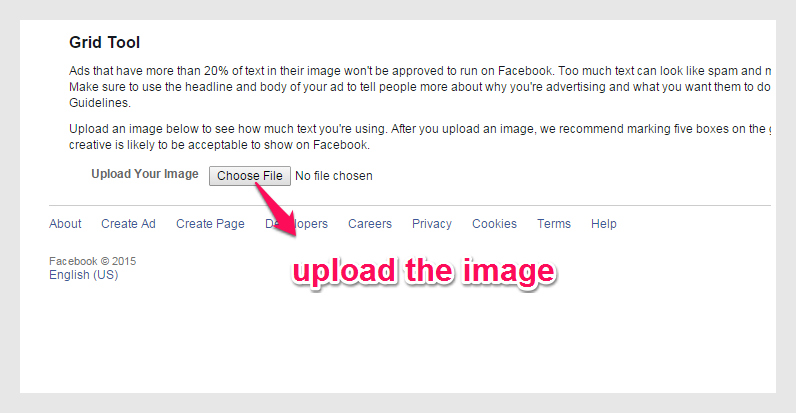
So I have to go to https://facebook.com/ads/tools/text_overlay for poster checking.


gift giving grid tool-pic

Then next step is to upload the image.


gift giving upload-pic

The image for uploading:


gift giving 3-FB pic

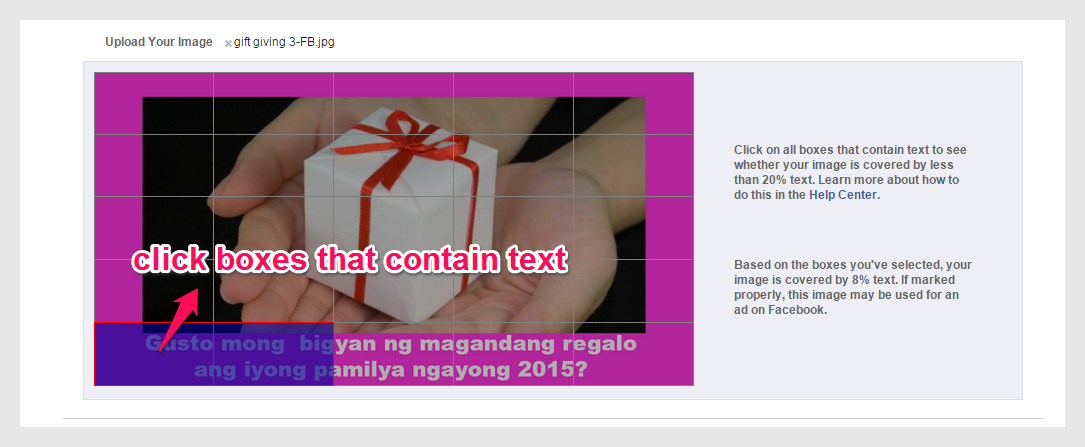
Then there are boxes on the image. I have to click the boxes which contain text to determine if this pass the 20% image text test. The more boxes I click the higher percentage.


gift giving upload 2-pic

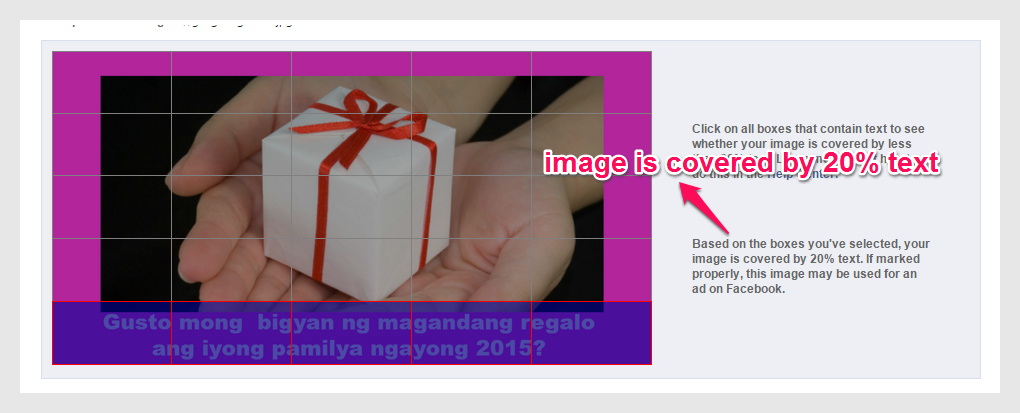
And now the verdict, let us see the outcome.


gift giving 20-pic

Yehey! I made it correct! The Poster passed the 20% Text test! Yes! Very Easy! Thanks Lord! I have a great brand new morning today! I just woke up and do this and now I made it! Good Job Alfie! So next post is to place this image in Facebook Power Editor. See you!


Show the Emotional Promise: Gift Giving

This is my first official activity of creating an Image with a Promise for Facebook Post. I call this Gift Giving. Why? I tell you my story. Last Christmas 2014, I went home to General Santos City, my hometown to be with my son and my family. I spent 2 long weeks with my son that I was not able to completely finish my VA 202 assignments. That was my original plan, to finish my VA 202 assignments on Christmas vacation. But to no avail, I guess I finished not even one fourth of it. I lost time to make it because I did enjoy my son’s company. Because every time I am about to start my assignment, he always teased me and called me to play with him. I could not deny his request because I felt he missed me a lot, and so do I. But at least I made a part of my assignment. I told myself well, I will devote my first month of the year 2015 to almost fully finish it.

There were parts of my VA 202 assignments that I got confused. But in this part, it was kind of easy for me. Maybe because I fully understood that the essence of marketing any product or services is showing the emotional promise of it and not directly selling it.

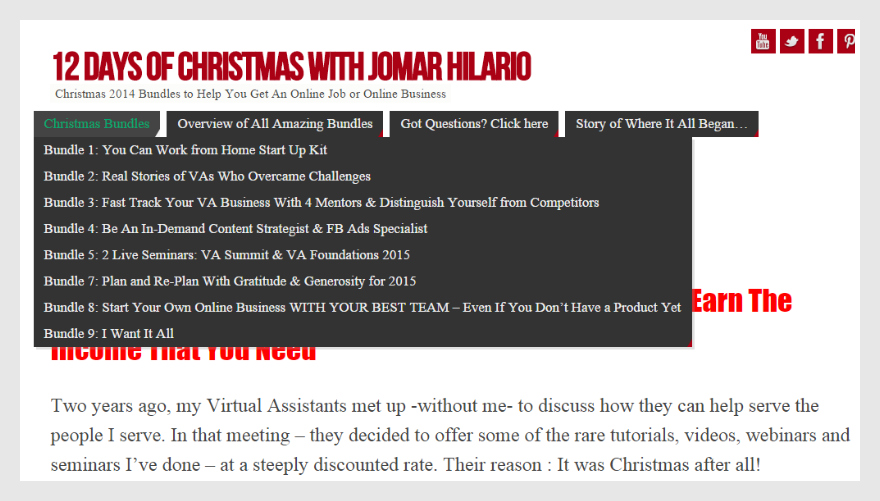
I got an idea on this Post. Jomar Hilario, our VA 202 mentor , presented to us his Christmas Bundles of opportunities regarding  on how to work and earn at home. There are lots to choose from! 9 Bundles in a row! Well if you want to be with your family and at the same time maximize your hidden talents and skills by working and earning at home, see this site http://www.jhilario.com/jomars12days.


12 days-pic


By these, I thought of a gift for my family. If I am an OFW, a single parent, an employee, an unemployed, and who wants to work and earn while at home and be with my family, then these offers are best! That is why I got an idea of giving a gift, as an emotional promise to make my family happy by working and earning at home!


gift giving 3-FB pic

The image shows the promise of giving a gift to his or her family and the text below with a promise supporting the image, that is ” You want to give a beautiful gift to your family this 2015?”


image gift giving-pic


promise-gift giving-pic

The 2 important things to show the image ready for posting in Facebook is the Image supporting the promise and the text telling the promise to support the image. This is also taught to us by Jomar Hilario. So, this image is ready now to post for Facebook Ad. Of course with approval. So next post is to explore this one to Facebook Editor for posting!


Activity: Showing the Promise

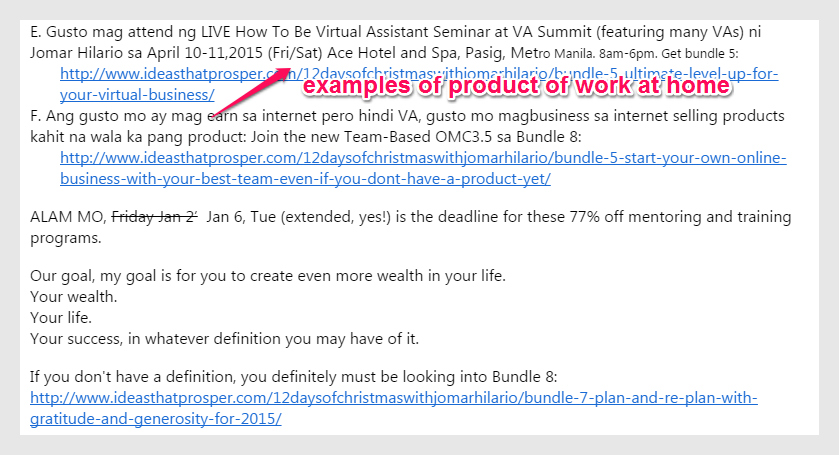
This is my first activity in showing the Promise. The Products are the bundles of Christmas of Jomar Hilario, our mentor for Virtual Assistants. These are the products that basically teach on how to work and earn while at home, having quality time with your family and doing the things you loved.


promise3-pic


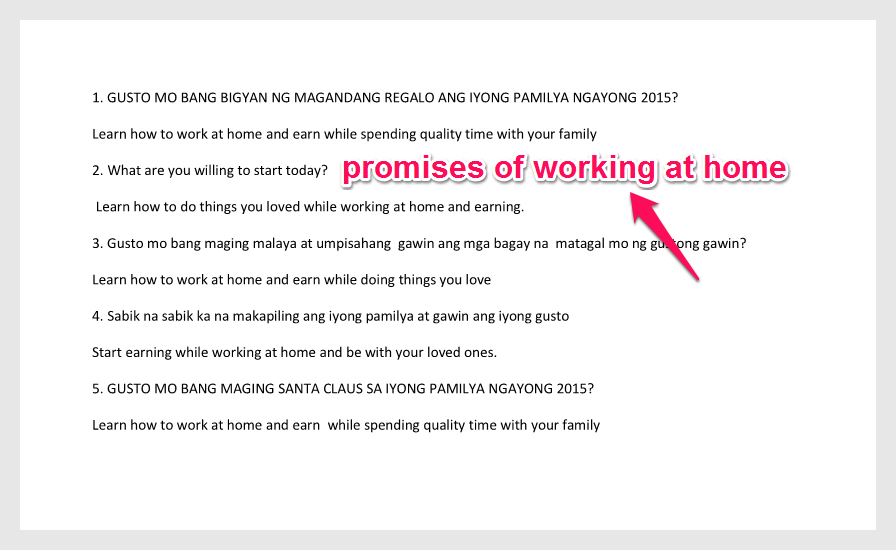
This is just an activity on how to formulate promises out from these products of Jomar Hilario, showing how to work at home. The possible clients or customers of these products are Overseas Filipino Workers, Employees, Single Parents maybe Single Moms and Single Dads, Those who want to shift their careers or those employees who are tired of commuting and doing the same work everyday.


promise post-pic

I made a list of promises based from the products of working at home by Jomar Hilario, our mentor. This is an exercise to practice stimulate my thinking on how to present the product emotionally, all the time. Yes, this helps. I will do this always, since Jomar Hilario, an internet marketer and our mentor, told us that this is the secret of marketing your products and services online. This is one way of getting prospects who have the same feelings of needs with the Ads presented online. We do not have to just sell anything online, but to be smart enough to catch attention of prospects and potential buyers and that is to present the emotional promise, all the time.

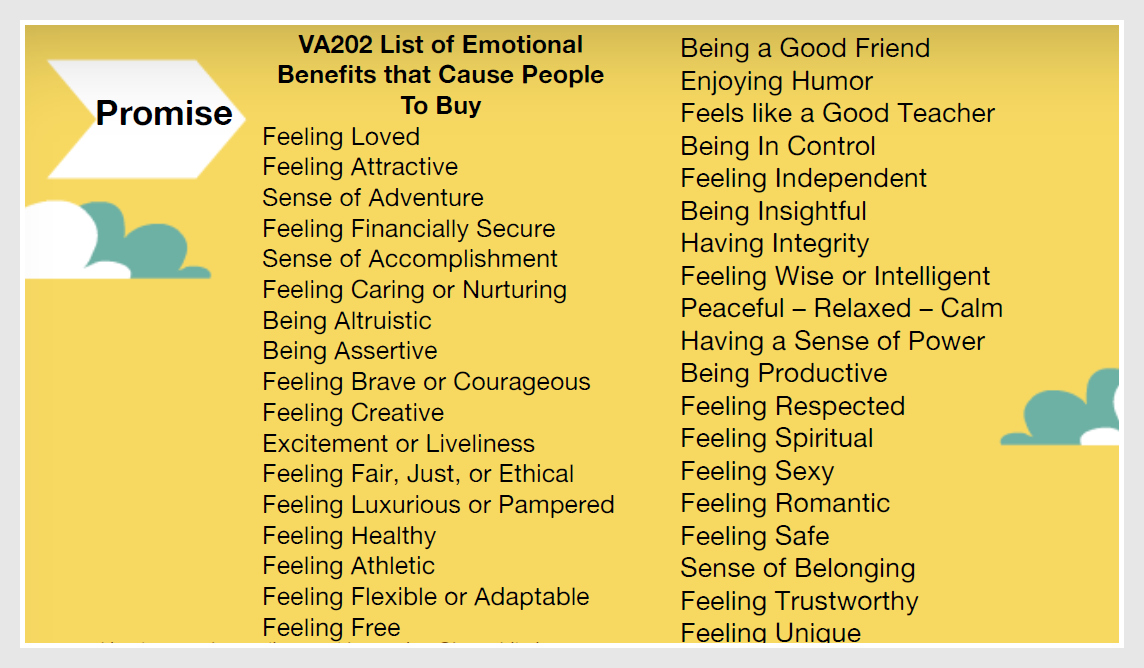
Below is a guide presented to us our dear mentor, Jomar Hilario in our VA 202 course on Facebook and LinkedIn Marketing:


promise5-pic

Make this a guide in showing the emotional promise of a product or service. As always, remember to present the emotional promise, all the time! Thank you and I will post again my next activity.